
How to Search Harris County Court Records
Harris County splits its court records by court level and by clerk, so there is no single search box for every case. District court files run through the District Clerk's "Search Our Records and Documents" portal, kept by District Clerk Marilyn Burgess. That portal covers civil, family, criminal, and juvenile district cases. Public case information is free to view, but the site now asks you to set up a login before you can open filed court documents. County civil, probate, real property, marriage, and personal records sit on a separate County Clerk portal. Justice of the Peace traffic and small claims cases use the JP Odyssey system instead.
Gather what you have before you start. A full party name helps. A cause number helps more. You should also know roughly what kind of case it is, since the case type tells you which clerk to use.
The District Clerk runs the central record portal for district court files. The screenshot below comes from the District Clerk "Search Our Records and Documents" portal.
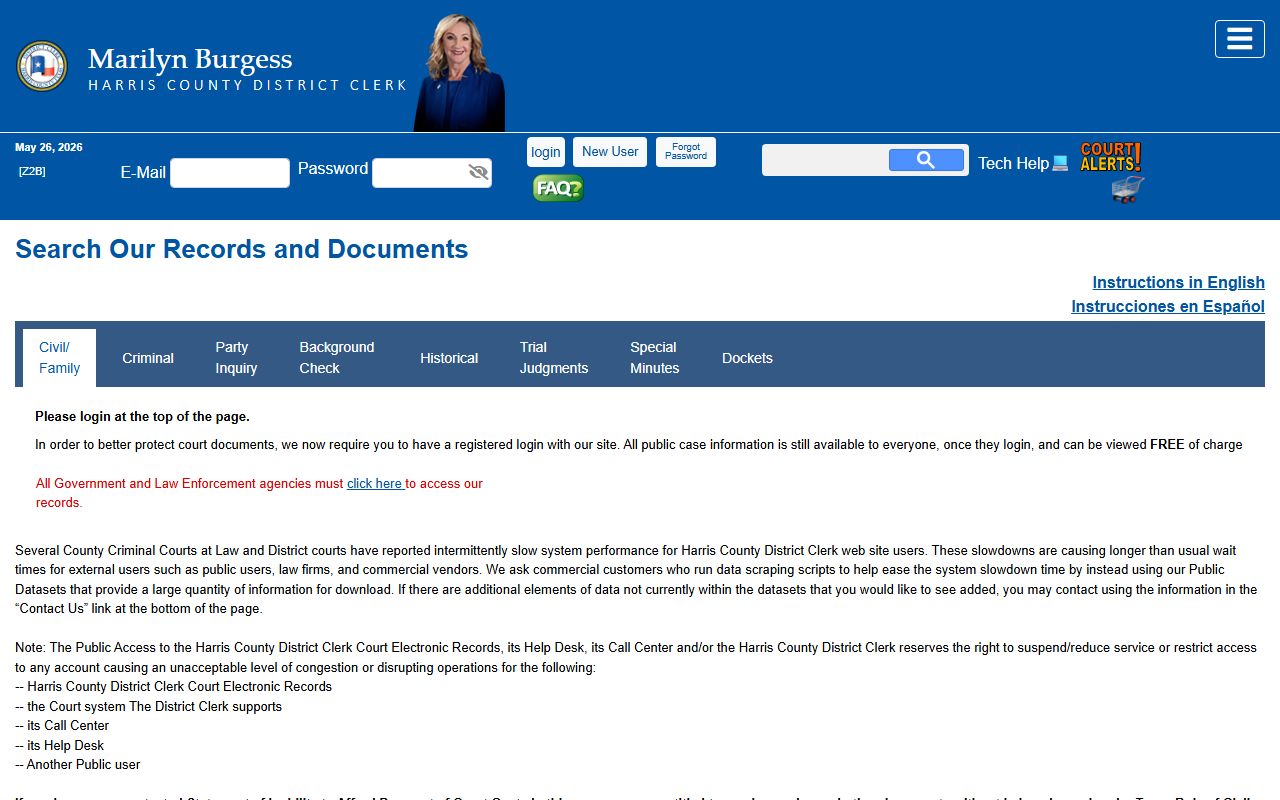
From that portal you reach Party Inquiry, Docket Search, Background Check, Trial Judgments, Special Minutes, and Historical records. Each tool opens its own form. The steps below walk through a basic name search.
- Open the District Clerk portal and pick a search type, such as Party Inquiry for a name search.
- Type the party name in "Last, First" form, then choose Starts With or Contains.
- Set the court type to Civil, Criminal, or Family, and add a filed date range to narrow the list.
- Review the results, open a case, and read the parties, docket entries, court costs, and file location.
- Log in to view filed documents, or order a certified copy from the clerk if you need one for court.
For county civil, probate, and personal records, use the County Clerk portal instead. For traffic and small claims, use the JP courts. City of Houston tickets go through Houston Municipal Courts, not the county system.
Harris County Court Records Search Fields
The District Clerk Party Inquiry form is the main name-search tool for district court files. It lets you search by party and then filter by role, date, status, and court type. Most fields are optional, but a name gets you started. The table below lists the fields you use to run that search and how to format each one.
| Field Label | Type | Required | Notes / Format |
|---|---|---|---|
| Party Name | Text | Yes | Format as "Doe, Jane"; choose Starts With or Contains |
| Party Role | Dropdown | No | All, Defendant, or Plaintiff |
| Filed Date Range | Date range | No | MM/DD/YYYY to MM/DD/YYYY |
| Case Status | Dropdown | No | Active, Disposed, Dismissed, Appeal, and many more |
| Court Type | Dropdown | No | Civil, Criminal, or Family |
| Case/Offense Type | Dropdown | No | Loads after you pick a court type |
Party Inquiry returns public cases only. The portal posts a Harris County records only notice, which means it does not search federal cases, other counties, JP records, or municipal Class C misdemeanors. Provide enough detail for reliable results, since the data depends on what staff entered.
Types of Harris County Court Records
Harris County court records cover a wide range of case types. The court that handled a case sets where its file lives and how you reach it. Felony and major civil files run through the District Clerk. Misdemeanor, probate, and county civil files run through the County Clerk and the county courts. Justice and municipal records sit in their own systems.
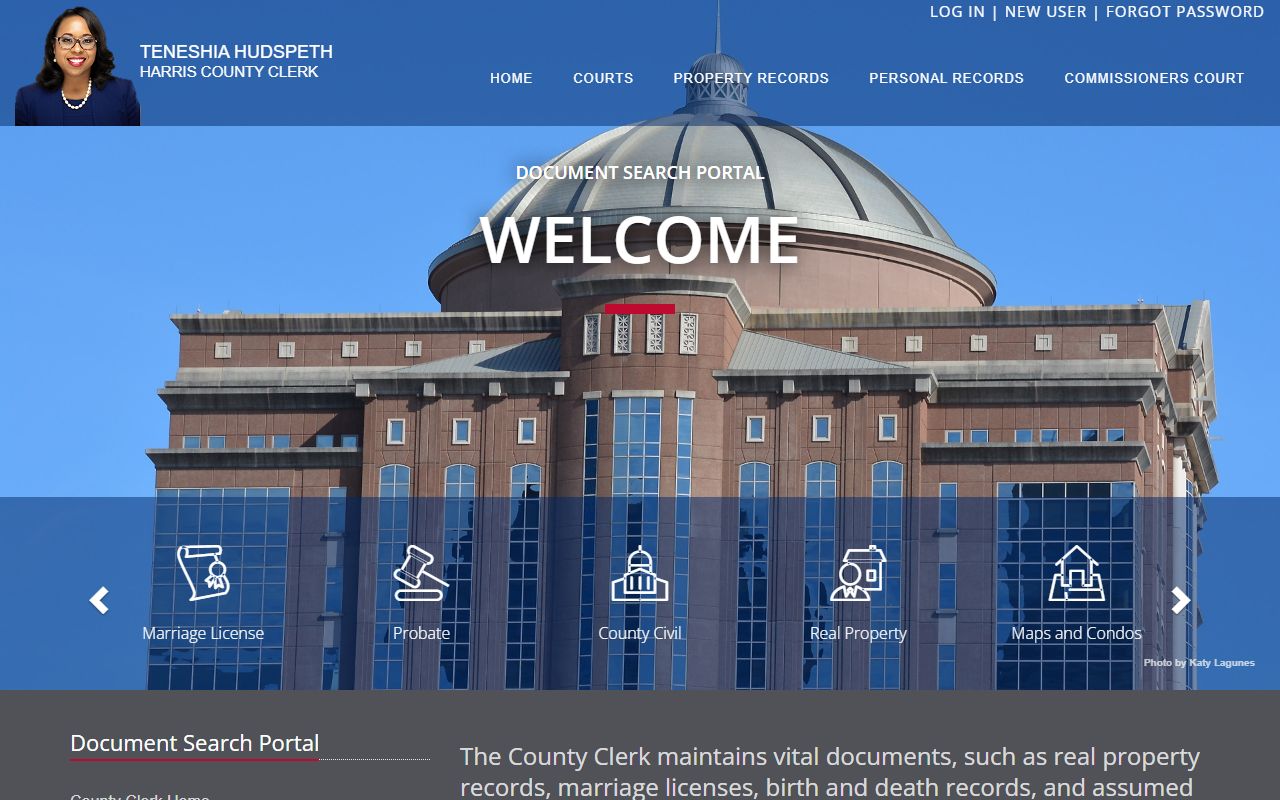
The County Clerk keeps county civil court at law files, probate, and personal records on its Document Search Portal. The screenshot below is from the County Clerk Document Search Portal.
- Civil records - lawsuits, judgments, liens, tax cases, and garnishments in the district and county courts.
- Criminal records - felony cases through the District Clerk and Class A and B misdemeanors through the county courts; see the Harris County arrest records page.
- Family records - divorce, custody, support, and protective orders; case info shows but family documents are held back.
- Probate records - wills, estates, heirships, and guardianships in the five statutory probate courts.
- Traffic and Class C records - citations and small claims in the justice courts and city tickets in the municipal courts; see Harris County traffic court records.
County civil court records are searchable on the County Clerk site. That tool covers cases in the county civil courts at law. The image below comes from the County Clerk county civil court records search.
The County Clerk also runs a separate search for probate matters. Estates, guardianships, and mental health cases show up there. The screenshot below is from the County Clerk probate records search.

For probate detail, see the Harris County probate records page. For court calendars and settings, see Harris County court dockets.
What Harris County Court Records Show
A court record is more than a name. Each file holds a set of fields that tell the story of a case. The District Clerk public case view shows the cause number, the court, the case status, the parties and their roles, the docket entries, and the court costs. Filed documents can be viewed after you log in. The table below breaks down the main fields you will see in a Harris County court record and what each one tells you.
| Field | What It Shows |
|---|---|
| Cause Number | The Harris County case number assigned to the file; used to pull the case directly |
| Filing Date | When the case was filed; searchable as an MM/DD/YYYY date range |
| Court | The court number or code and the case location within the county |
| Case / Offense Type | Civil, criminal, or family category, set from the court type you pick |
| Parties | Plaintiff, defendant, petitioner, respondent, or criminal defendant and their roles |
| Docket Entries | The running log of settings and filings, such as arraignment, motions, plea, and trial |
| Disposition | The final outcome of the case or charge, such as disposed, dismissed, or judgment |
| Court Costs | Fees, fines, bonds, and any restitution tied to the case |
Some details are kept out of public view. Family documents are not available through Party Inquiry, even when the case itself is listed. Personal data such as Social Security numbers and account numbers is redacted before release.
Public Access Laws for Harris County Court Records
Texas treats court files and general government records under different rules. The Texas Public Information Act covers records held by government bodies. Access to judicial records, though, runs through court rules rather than a plain open-records request. In practice, you use the clerk search portals for filed court documents and save a Public Information Act request for county records that are not already online. Most court records stay open unless a statute or a judge makes them confidential.
Anyone can search public case information for free. You do not have to give a reason or show ID to run a name search. A login is needed to open filed documents, and copies carry a fee. The key statutes below set the framework for access and for sealing.
Key Statutes:
Texas Government Code § 552.021 - public information must be open during normal business hours at county offices.
Texas Government Code § 552.0035 - access to court records is set by Supreme Court rules, not the standard request process.
Texas Code of Criminal Procedure Chapter 55 - covers who may clear an arrest or case from public records.
Texas Government Code Chapter 411 - sets the rules for sealing criminal history through an order of nondisclosure.
For the broader county records framework, including land, marriage, and business filings, see the Harris County public records page.
Note: Court records are presumed open in Texas, so most files are public unless a statute, a judge's order, or a sealing rule keeps them private.
Sealed and Confidential Harris County Court Records
Not every Harris County court record is open. Juvenile case files are restricted under the Texas Family Code. Adoption records are confidential. Mental health proceedings are protected. Sealed civil records, expunged criminal records, and records under an order of nondisclosure are kept from public view by law. Family case documents are held back from the District Clerk public search even when the case is listed. Grand jury material and victim contact data are also restricted.
To see a sealed record, a person usually has to be a party, an attorney, or someone the court allows. You petition the court that holds the file, show why you should have access, and wait for a ruling. Expunction is the strongest remedy, since it removes qualifying arrest and case records under Chapter 55. Nondisclosure is different. It seals eligible criminal history from the public but does not destroy the record or hide it from law enforcement.
In-Person Harris County Court Record Requests
You can also pull records and order certified copies at the clerk's counter. The District Clerk public counter sits in the Harris County Civil Courthouse in downtown Houston. The counter is open on weekdays during business hours. Bring the party name or cause number, a photo ID, and payment for any copy fee. A certified copy you buy online is emailed and does not carry a raised seal, so plan an in-person or mailed request when a seal is required.
Harris County District Clerk
201 Caroline Street, Suite 420
Houston, TX 77002
832-927-5800
Mon-Fri 8:00 a.m.-4:30 p.m.
Harris County Clerk - Personal Records
201 Caroline Street, Suite 330
Houston, TX 77002
713-274-8686
Mon-Fri 8:00 a.m.-4:30 p.m.
County Clerk copy fees are posted online. A non-certified paper copy runs $1 per page. A certified paper copy is a $5 certification fee plus $1 per page. A records search costs $5 unless you give a file number or film code. For more on each office, see the Harris County District Clerk and Harris County Clerk pages.